An account you can understand
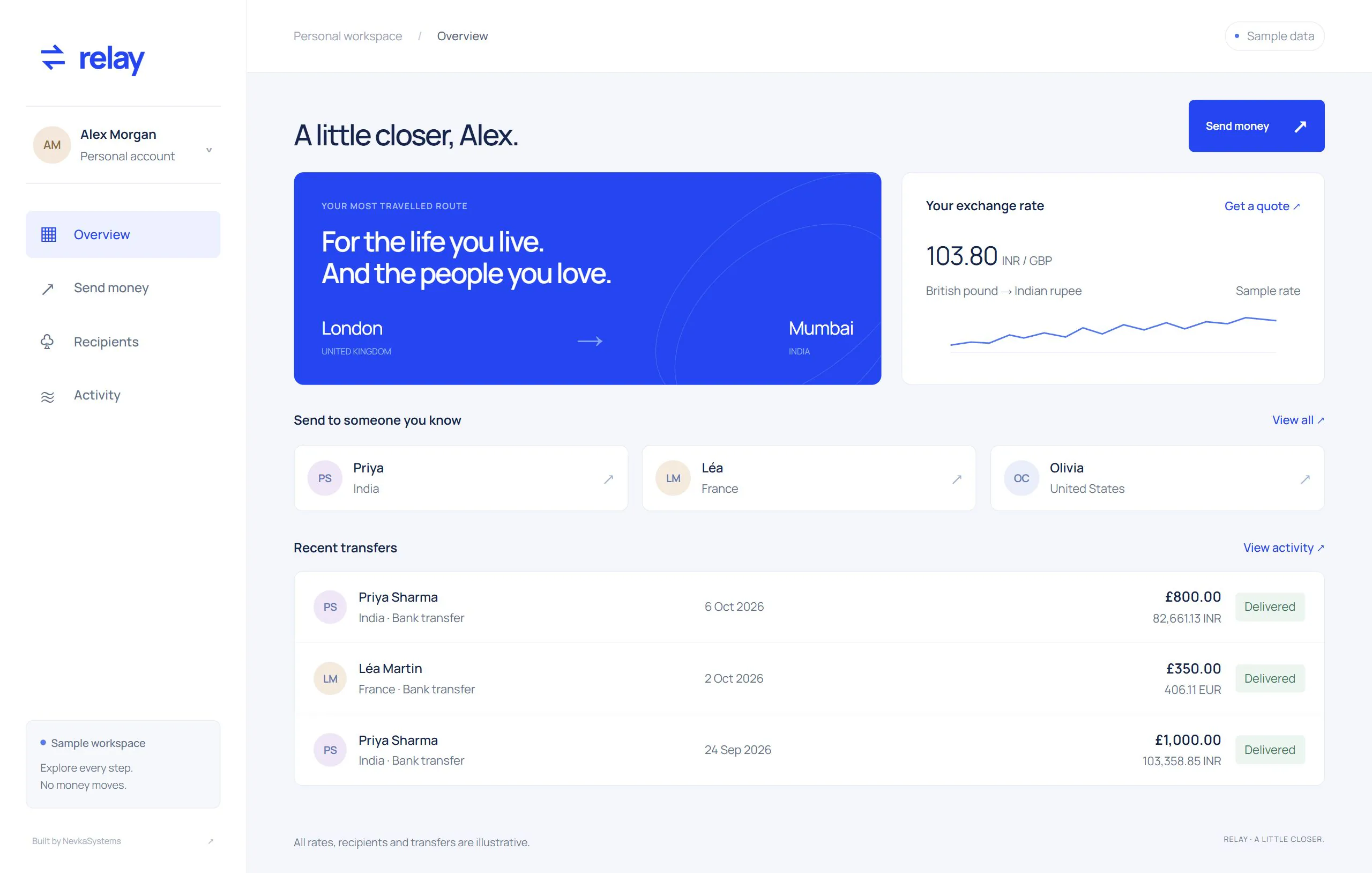
Currency accounts connect available funds, transaction history and individual payment details. A customer can move from the overview to the record behind a balance without losing their place.

Website & product design
An everyday banking workspace connecting currency accounts, transfers and card controls. Clear payment reviews carry through to receipts and account activity, while the same warm visual identity moves from the product website into daily use.
The product starts with a simple question: can a customer understand what they have, what has moved and what will happen next? The overview connects separate currency accounts to their recent activity, with payment details a step away.
A complete sample payment journey carries the customer from recipient selection through amount and fee review to a receipt. Card controls sit in a dedicated workspace, while the same warm visual identity carries through the product website.
The experience, in motion
Follow a transfer from recipient to receipt, then manage the card connected to the account.


Inside the product
Currency accounts connect available funds, transaction history and individual payment details. A customer can move from the overview to the record behind a balance without losing their place.
Choose a recipient, enter an amount and review the conversion and fee before confirming. The local sample records the transfer and updates the available funds and activity together.
Card management brings spending limits, payment settings and the active or frozen state into one place. The customer sees what a change affects and can return to the account to check its activity.
Engineering approach / Proposed architecture
The account and card controls would connect to a service that records money movements, coordinates providers and gives operators the same transaction history customers see. The central design decision is to make every displayed balance explainable.
Check the signed-in customer, account permissions and currency before returning a balance or accepting an instruction.
Create a payment record with a stable request key. Validate available funds and record any reservation before contacting a provider.
Send through the selected payment or card integration. Keep requested, accepted, completed and failed states distinct as responses arrive.
Post balanced ledger entries, release or settle reservations, and match provider settlement records to the internal journal.
Under the surface
Explore the system behaviour, integration choices and operational detail.
Use an append-only double-entry journal with balanced postings committed in one database transaction. Store amounts with explicit currency and precision. Corrections add reversing entries, preserving the original record and its explanation.
Treat freezing a card as a request to its issuing provider. Show a pending state until the provider confirms the change, and retain the previous state if it fails. Record who requested the change and the provider response.
Give each payment a shared reference across the customer view, provider calls and operations workspace. Repeated requests reuse the original instruction; unresolved provider responses enter a review queue instead of silently becoming new payments.
Warm neutrals, editorial typography and a tactile card image give the product a distinct identity. A quiet layout lets that identity lead, with a clear path into the experience.
Balances, payment history and card settings belong to one consistent account state. A confirmed sample transfer updates the available funds and adds its record to activity; a frozen card stays visibly frozen when the customer returns.